ZSgtZaddyProductions
Contact

Self-tape studio for actors

Back to OneSelf Tape & Coach

Now playingAndroidWorks offline

Your scene partner is in your pocket. Back to One reads the other parts aloud, listens for your lines and cues the next one the moment you finish. Rehearse until it's in your bones, then roll camera with the prompter beside the lens. Rehearse, record, reset.

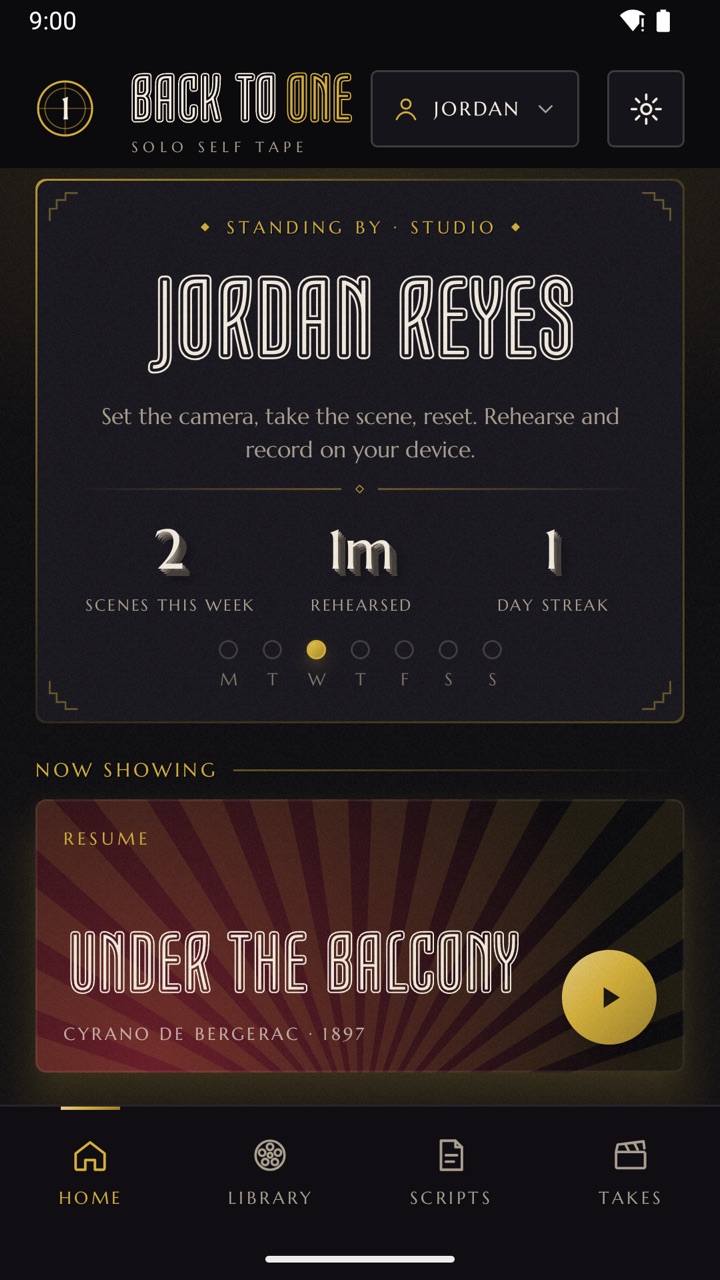
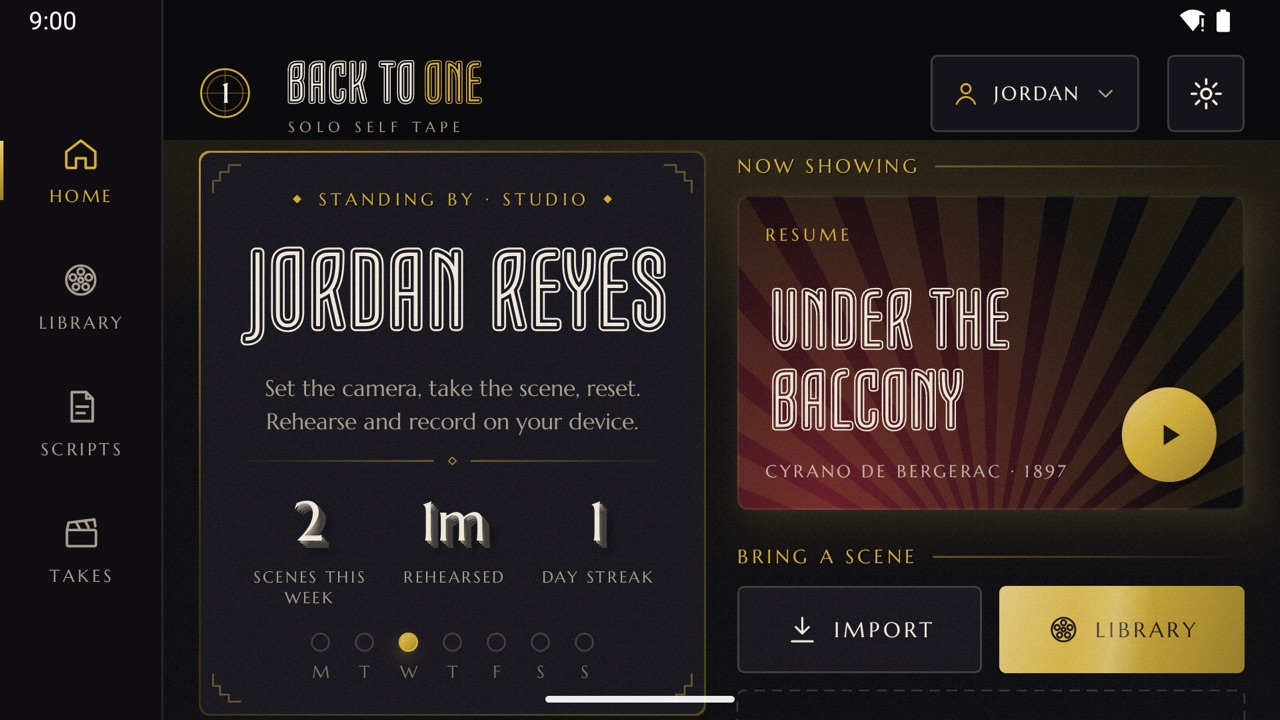
Back to One home screen: a profile card with scenes, minutes rehearsed and day streak, and Under the Balcony from Cyrano de Bergerac in Now Showing

Standing by

No reader? No problem.

Self tapes live or die on the reader, and the reader is usually whoever you could talk into it. Back to One gives you a patient, tireless scene partner that follows the script, waits for you, and never steps on your line.

01 / CUE

A reader that listens

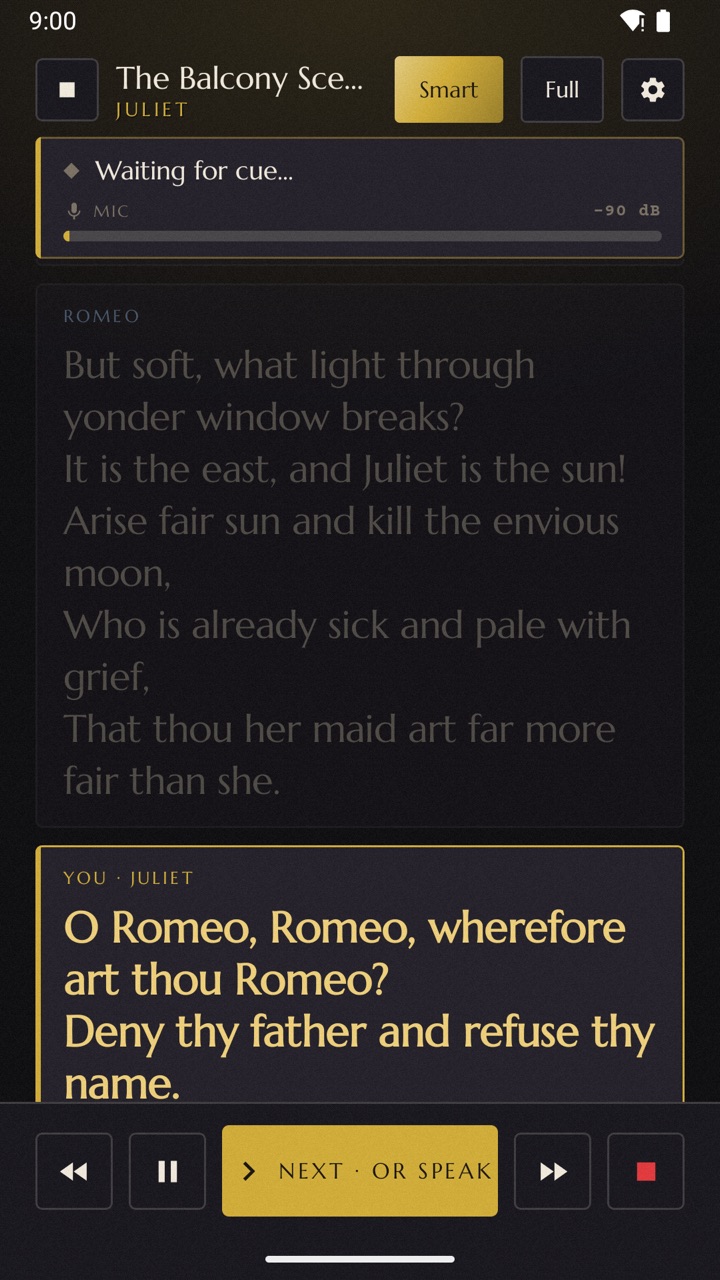
Speech recognition follows along as you speak and cues the next line when you finish, so there's no tapping, no fixed timing and no dead air. Paraphrase a little and it still keeps up. A Bluetooth pedal or the volume keys work too.

02 / CAST

Every other part, voiced

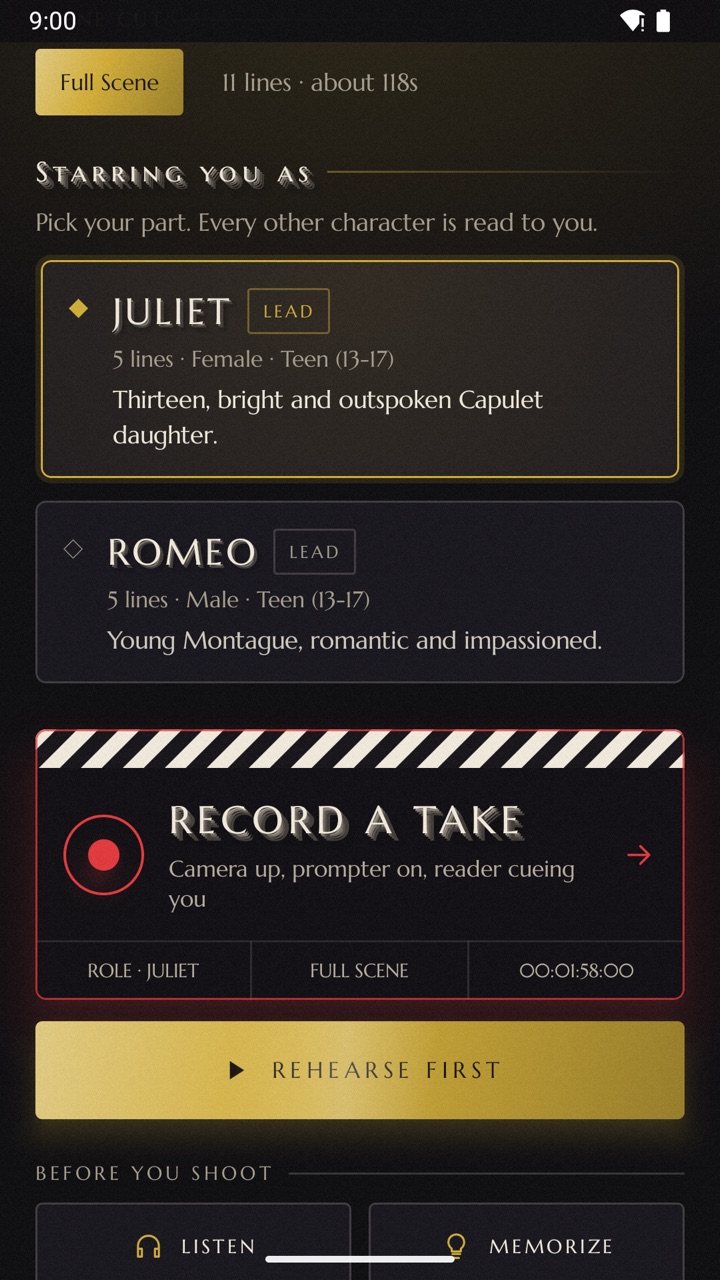
Pick your role and every other character is read to you, each with its own voice, speed and pitch. Stage directions are cleaned up so the reader says the lines, not the parentheticals.

03 / FRAME

Prompter by the lens

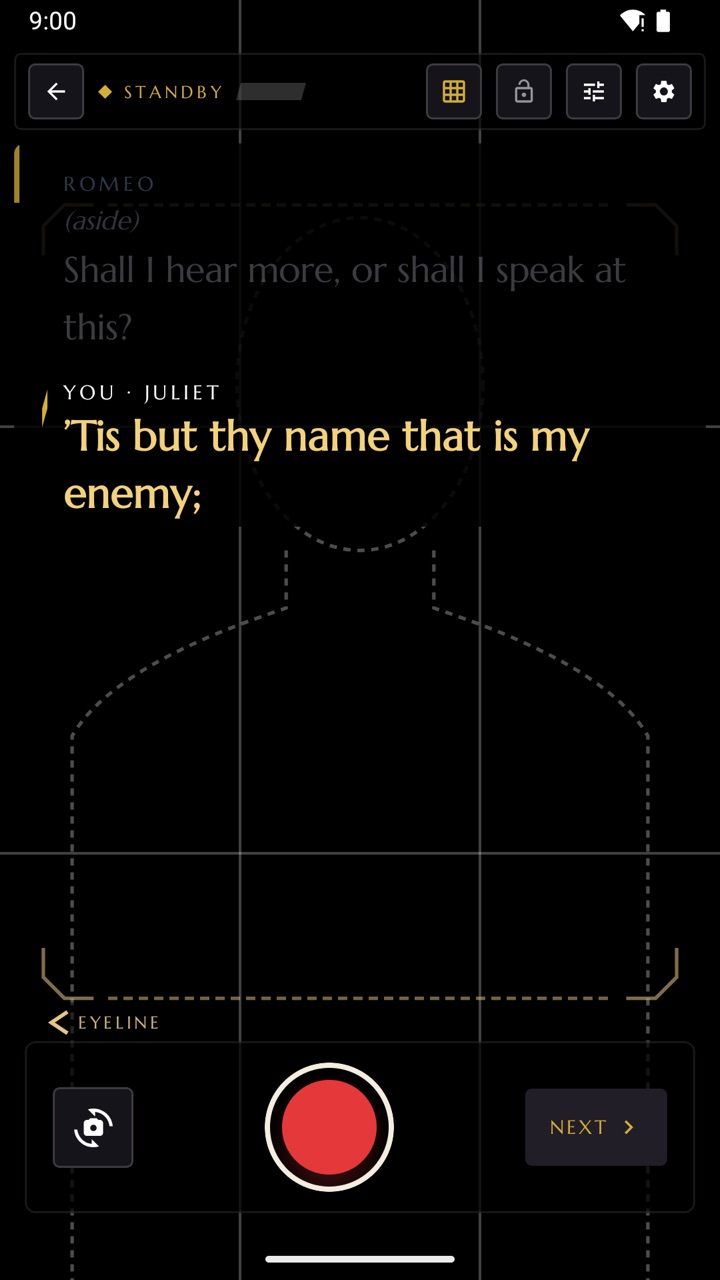
A teleprompter sits beside the camera with full text, cue-only or first-letter modes, plus eyeline, headroom and rule-of-thirds guides. Recording is unmirrored, so the text behind you reads the right way round.

04 / LEARN

Memorize mode

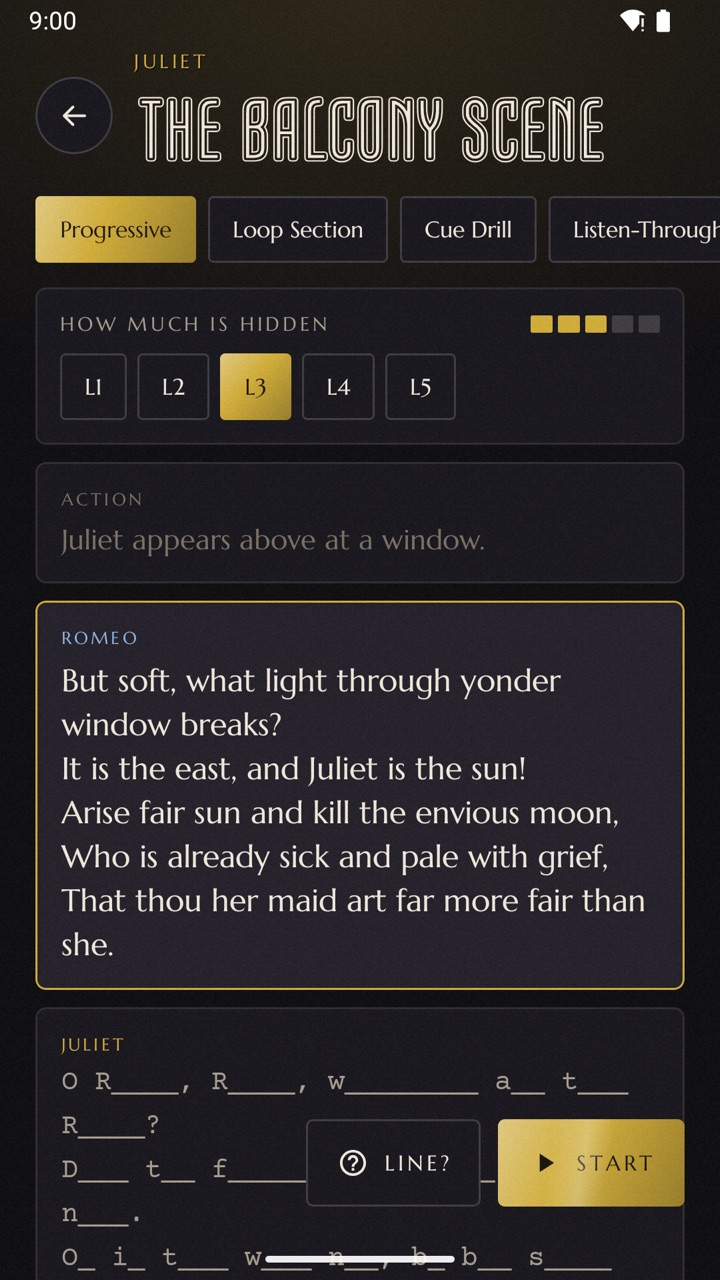
Lines fade in five steps, from the full text down to a blind cue. The app checks what you said against the page, word by word, and a quick "Line?" gets you back on track. You can even listen through a scene with the screen off.

05 / IMPORT

Bring any script

Share in a PDF, Final Draft, Fountain or Word file, or snap a photo of your sides. Scene headings, character names and dialogue are sorted out automatically, and you can write a scene from scratch.

06 / LIBRARY

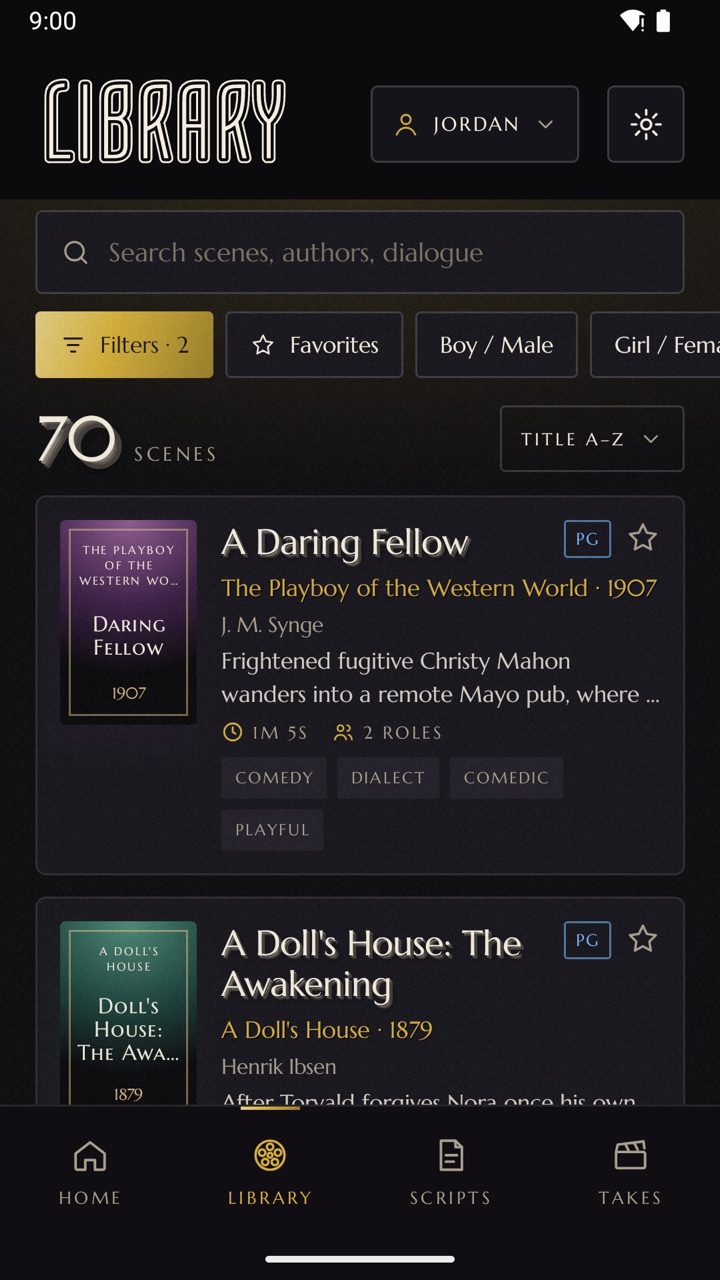
333 scenes, each with coaching

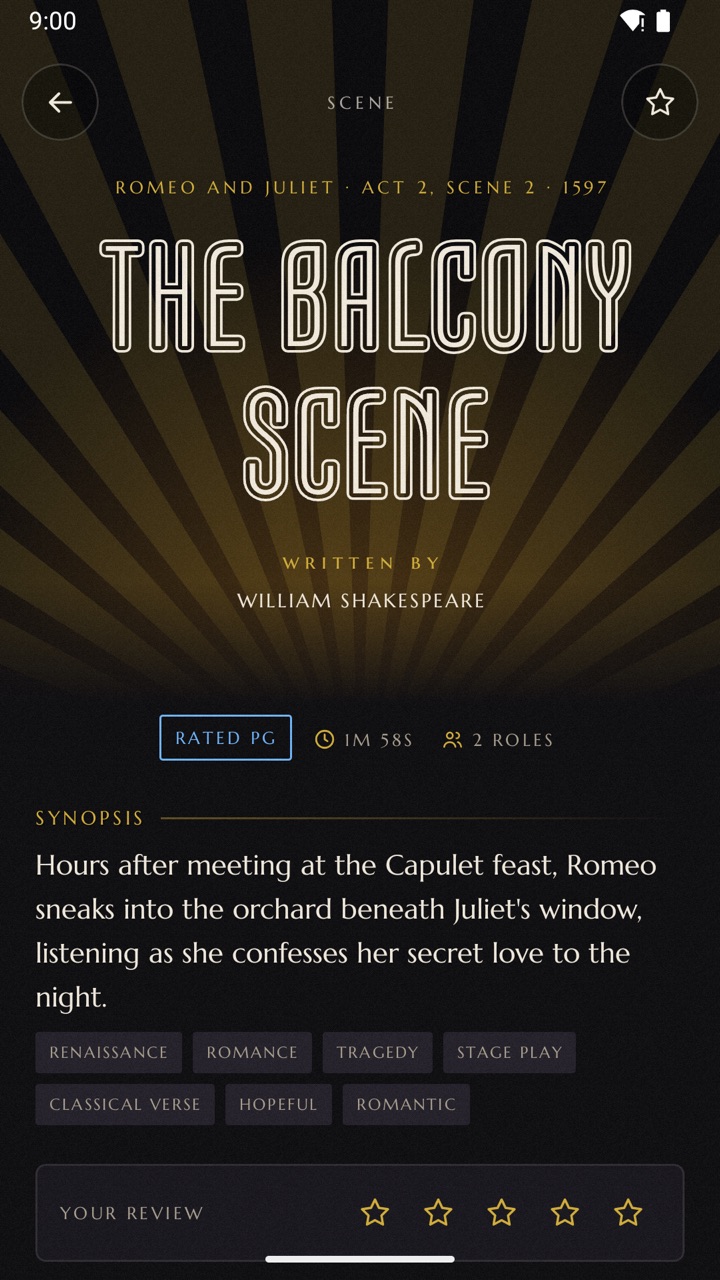
A built-in library of stage, screen and novel scenes, each with its own rating and a coaching note: the skill it trains, every character's objective, and a tip for the room. Child profiles are capped at PG.

How it works

Rehearse. Record. Reset.

"Back to one" is what the first AD calls when everyone resets for another take. The app is built around that loop: learn it, shoot it, check it, and go again.

STEP 01

Pick the scene.

Import your sides or choose from the library, then pick the part you're playing.

STEP 02

Rehearse first.

Run it with the reader, drill it in memorize mode, or listen through it on a walk.

STEP 03

Record a take.

Camera up, prompter on, reader cueing you. Shoot in portrait or on the phone's side.

STEP 04

That's a wrap.

Watch it back, keep it, trim it, add a slate and send it, or go back to one.

The working build

Old Hollywood, in your hand.

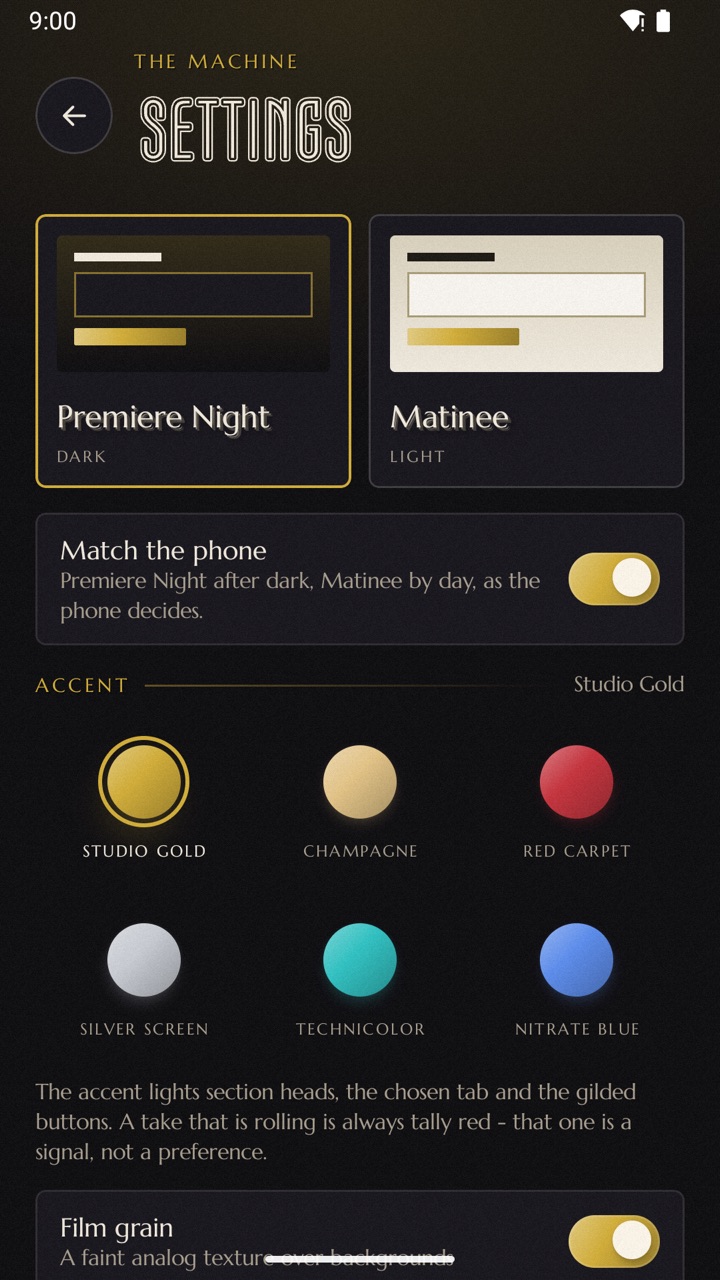
Marquee lettering, studio gold and a little film grain. Two house themes, Premiere Night and Matinee, with six accent colours. It works in portrait, landscape and on foldables, where the cover screen can become your prompter.

Back to One home screen in landscape, with the tab rail, profile card and Now Showing panel

Free to rehearse

Studio days, Pro and All Access.

Rehearsing, memorizing, recording, the whole scene library and basic voices are free, with no limits and no account. The Studio tools open for a day at a time, for good with Pro, or with AI voices on top in All Access.

FREE

The whole rehearsal room

Every library scene and its coaching, the listening reader in basic voices, the prompter, memorize mode and recording takes.

STUDIO DAY

Every tool for 24 hours

Export and share takes, import and write scripts, slates, 4K and the second screen. Your first Studio day is free; after that, two short ads start one whenever you choose. Ads never play unless you ask.

PRO

One purchase, no ads

Pro keeps every Studio tool on for good, with no ads and no countdown.

ALL ACCESS

Everything, plus AI voices

A monthly or yearly subscription with everything in Pro and lifelike AI voices that read the other parts. A 3-Day Pass gives the same for 72 hours and does not renew. Prices and free days are shown before you buy.

For parents and coaches

Built for young actors, too.

Child profiles sit behind a parent PIN and keep the grown-up decisions with a grown-up.

A child profile

  • Scenes capped at PG unless a parent changes it.
  • No ads and no purchases. "Ask a parent" hands the phone over for the PIN.
  • AI features stay off unless a parent switches them on for that profile.
  • Exporting a take from a copyrighted excerpt needs the parent PIN.

Scenes and rights

Library scenes come from public-domain works or are brief excerpts used for teaching, criticism and practice. Every take stays on the phone until you export it, and the app reminds you about third-party rights before you share one. Copyright & Fair Use

Privacy

Your takes stay yours.

No account, no analytics in the app, and no studio server anywhere near your recordings. Takes, scripts, profiles and notes live in the app's private storage on your phone.

Offline by default

Speech recognition, the reader's voices, script import and text recognition for photographed sides all run on the device. A take only leaves the app when you export it or send it yourself.

AI is optional

AI voices read the other parts only when you choose them: with All Access, on the three free sample scenes, or with your own ElevenLabs, OpenAI or Google Cloud account. Only the words of the lines being voiced are sent to be voiced; your voice and your recordings are never uploaded. AI script tools stay off until you add your own Gemini or OpenAI key.

Read the Back to One Privacy Policy

FAQ

Before you roll.

Quick answers for actors, coaches and parents.

How do I get Back to One?

It's on Google Play for Android phones in the United States. An iPhone version is on its way.

Which phones does it run on?

Android 10 or later. It adapts to portrait and landscape and supports foldables, where the cover screen can show the prompter while you record.

Do I need an internet connection?

No. Rehearsing, recording, memorizing, importing and exporting all work offline. Only the optional cloud voices and AI script tools go online, and only when you turn them on.

Does it really listen to me?

Yes, on the device. It follows your lines as you speak and cues the reader when you finish. You can adjust how sensitive it is, or advance by tap, pedal or volume key if you prefer.

What script formats can I import?

PDF, Final Draft (.fdx), Fountain, Word (.docx), and photos or scans of printed sides. You can also type or paste a scene in yourself.

Is it suitable for young actors?

Child profiles are capped at PG and hide scenes from R-rated and TV-MA sources unless a parent changes that for the profile. Profile details stay on the device.

What's free and what isn't?

Rehearsing, memorizing, recording, the scene library and basic voices are free. Exporting, importing or writing scripts, slates, 4K, the second screen and your own AI voice account are Studio tools. When you reach one, the Studio popup offers a Studio day (your first is free, then two short ads open another), Pro, or All Access.

How do the AI voices work?

Basic voices work offline and are always free. AI voices are computer-generated voices from ElevenLabs that act each line and its stage direction; hear them free on three library scenes. With All Access they just work, within a weekly allowance shown in the app; library scenes don't count against it. Advanced users with Pro or a Studio day can connect their own ElevenLabs, OpenAI or Google Cloud account instead, billed by them.

Can I post takes of library scenes?

With Studio or Pro you can export and share takes from every library scene for auditions, class and your reel. Scripts belong to their authors, so don't sell them or charge for them. Read Copyright & Fair Use and the Terms of Use.

Where do my exported takes go?

Exports are saved to Movies/Back to One on your phone and shared only with the app you choose. You can trim, add a slate, and pick original quality or a smaller file.
Set the camera. Take the scene.
Back to one.